 Download & buy
Scene.
Cue.
Play.
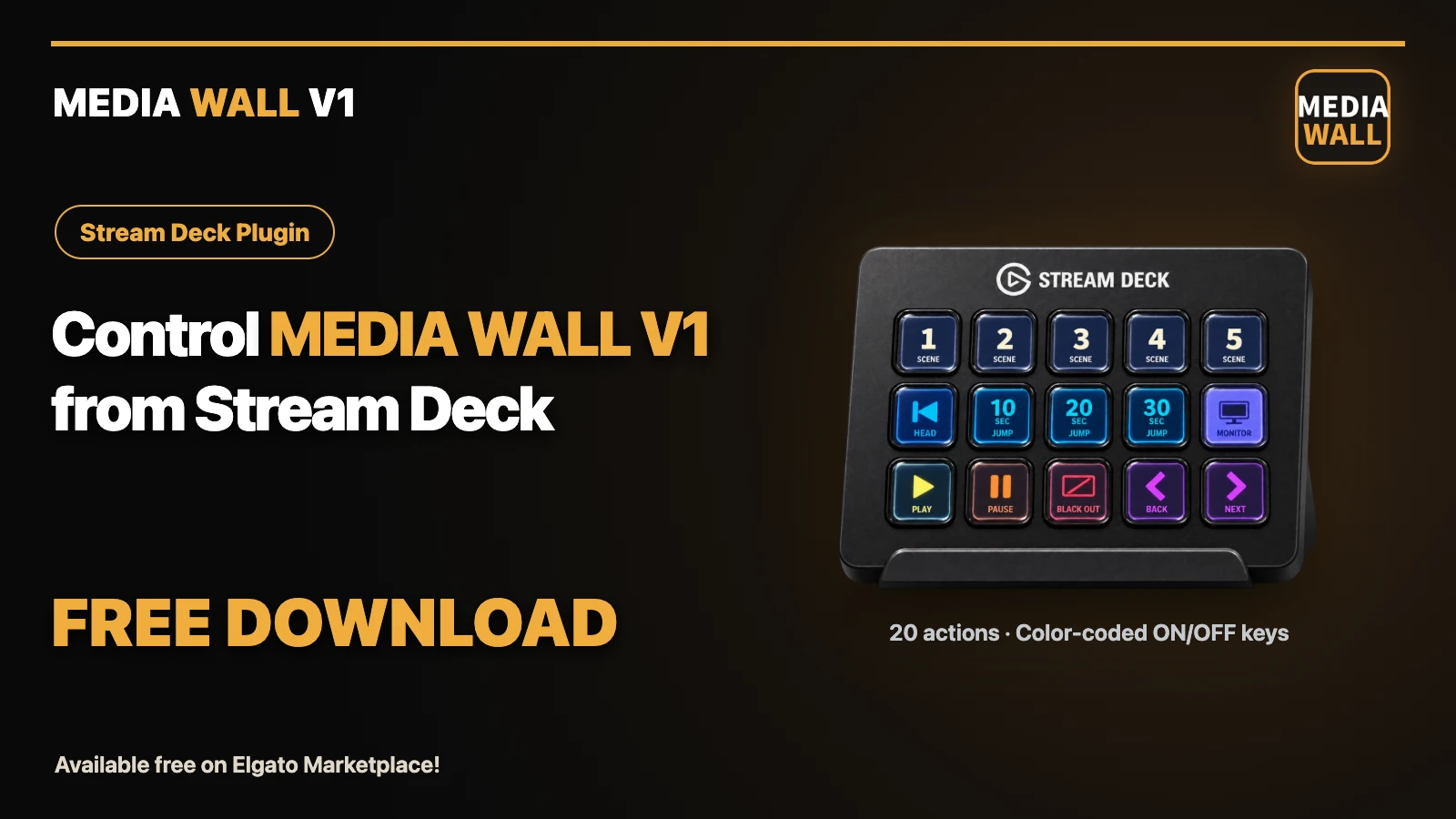
Stream Deck plugin for live playback on Mac: run MEDIA WALL from real keys.
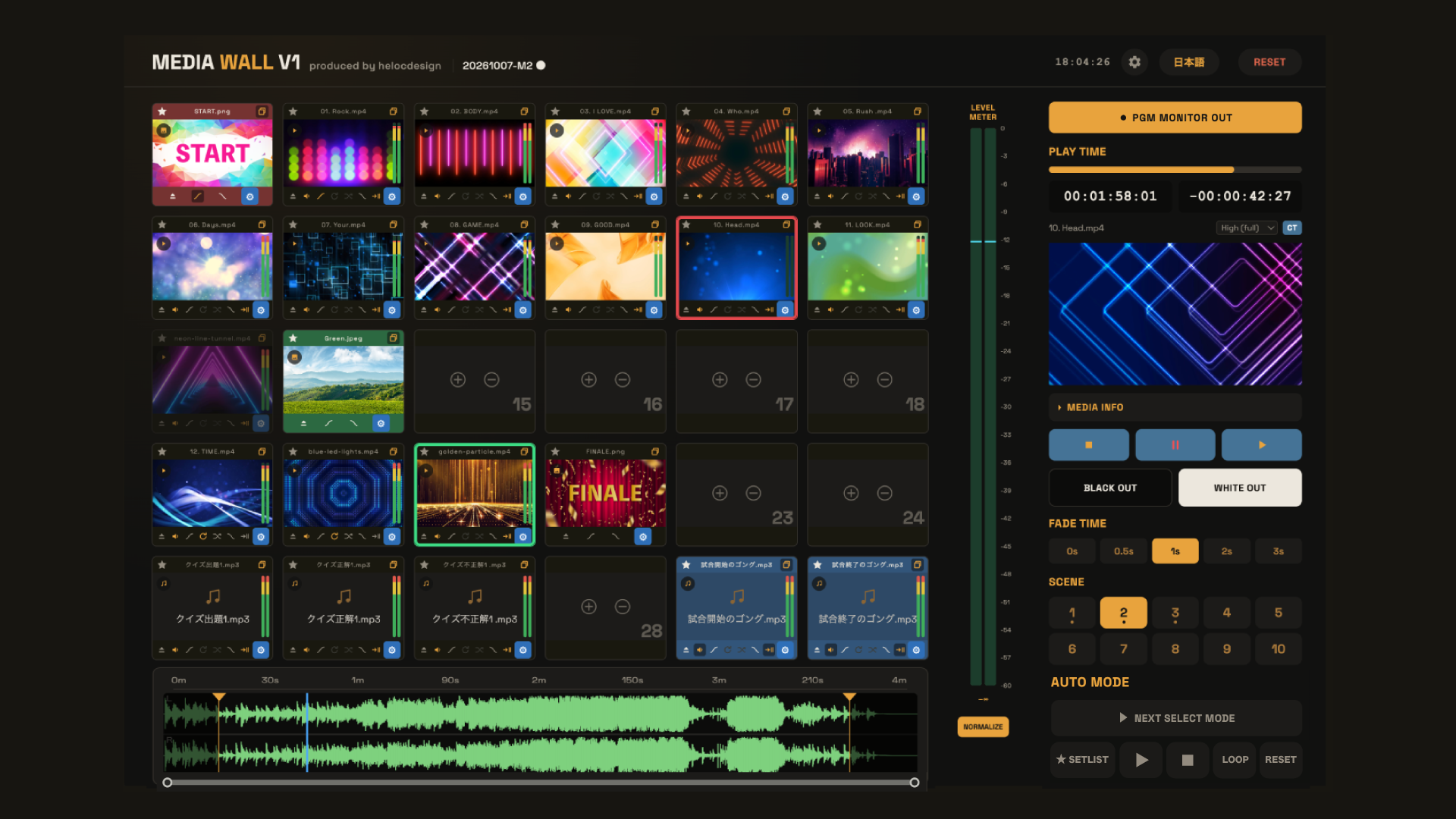
MEDIA WALL for Mac plays video, audio, stills and PDF pages from a grid of tiles. The free MEDIA WALL V1 Controller plugin puts play, pause, ten scenes and black out on your Stream Deck.
The free Stream Deck plugin shown here requires the Mac app on Apple Silicon with macOS 13 or later. MEDIA WALL is also available for Windows 11 x64.
MEDIA WALL V1 Controller, the free plugin
Twenty Stream Deck keys, by job
×10
Scene 1 to 10
One key per scene. The active scene stays lit, and changing the scene on screen does not stop what is playing.
×2
Play and Pause
Separate, colour-coded keys. Only one is lit at a time.
×2
Back and Next
Move the selection through your tiles, in Panel view or List view.
×1
Black Out
A toggle with ON/OFF lighting, so you can see the screen is dark.
×1
PGM Monitor Out
Opens and closes the program output, with ON/OFF lighting.
×4
Head and Jump
Head sends the playing clip back to its start. Jump Play skips ahead 10, 20 or 30 seconds.
Plugin version 1.1.6, as listed on the Elgato Marketplace on 13 November 2026. English and Japanese.
The lit key is the live one.
Keys light up to show state: the active scene, play or pause, black out on or off. You can read the desk in the dark without looking at the Mac.
Scene 1
Scene 2
Scene 3
Scene 4
Scene 5
Head
Jump 10
Jump 20
Black Out
Pause
Next
Drawing of the idea, not the plugin’s actual key art: Scene 3 is active and Play is lit.
SETUP
Set up once, in a minute
Install the plugin from the Elgato Marketplace. Each key sends a MEDIA WALL keyboard shortcut, so macOS asks once for permission: allow Stream Deck under Accessibility in System Settings. You need Stream Deck software 6.9 or later.
ONE DEVICE PER LICENSE
MEDIA WALL licenses for Mac and Windows
Choose a separate license for Mac or Windows. One registered device per license. Updates within v1.x included. The Stream Deck plugin is free.
$49
one-time
What it is not
One key per clip. The keys are transport, scenes and output; you pick the tile in the app or with Back and Next.
MIDI, OSC or network control. MEDIA WALL has none of these; QLab and Mitti do.
A Bitfocus Companion module. The plugin is for the Stream Deck software.
The controller setup shown here uses the Mac app on Apple Silicon. For Windows, use the MEDIA WALL app for Windows 11 x64.
MEDIA WALL and Stream Deck: common questions
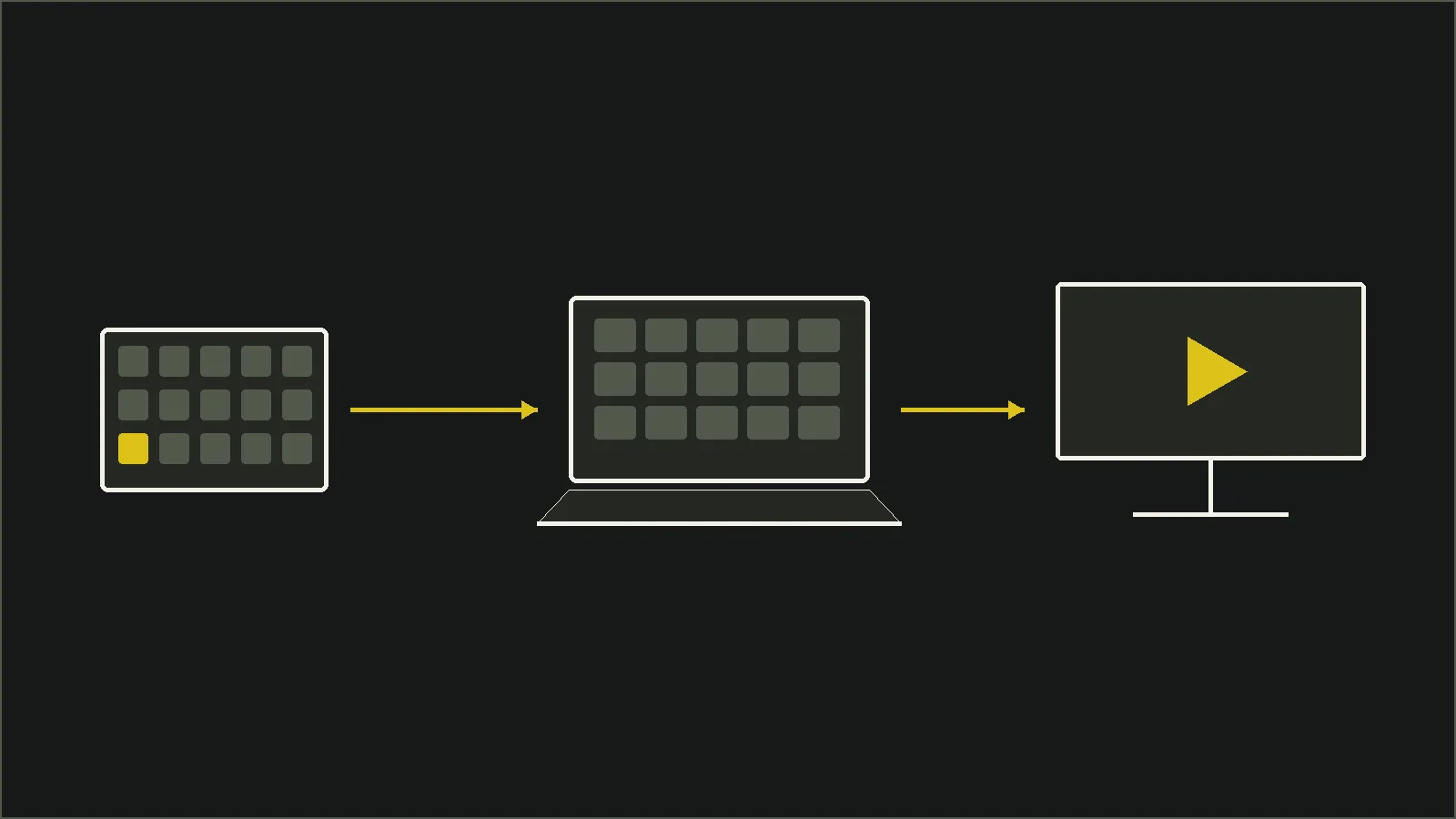
The setup: Stream Deck to the Mac, the Mac to the display.
Is the Stream Deck plugin free?
Yes. MEDIA WALL V1 Controller is free on the Elgato Marketplace. It controls MEDIA WALL for Mac, which is sold separately.
Which Stream Deck software do I need?
Stream Deck 6.9 or later. On first launch, allow Stream Deck under Accessibility in macOS System Settings.
Can one key play one specific clip?
No. The 20 actions are scenes, play, pause, back, next, head, jump, black out and program output. You choose the tile in the app or with Back and Next.
Which versions of MEDIA WALL does this guide cover?
MEDIA WALL has a Windows 11 x64 app. This guide covers the Stream Deck plugin and its macOS accessibility setup for the Mac app.
Other ways people use MEDIA WALL
Put your show on real keys.
The free demo is the same Mac app. No account needed. It runs for 30 days from first use, up to 30 minutes per launch, with a watermark on the output and saving turned off.