 Download & buy
Cue.
Count.
Play.
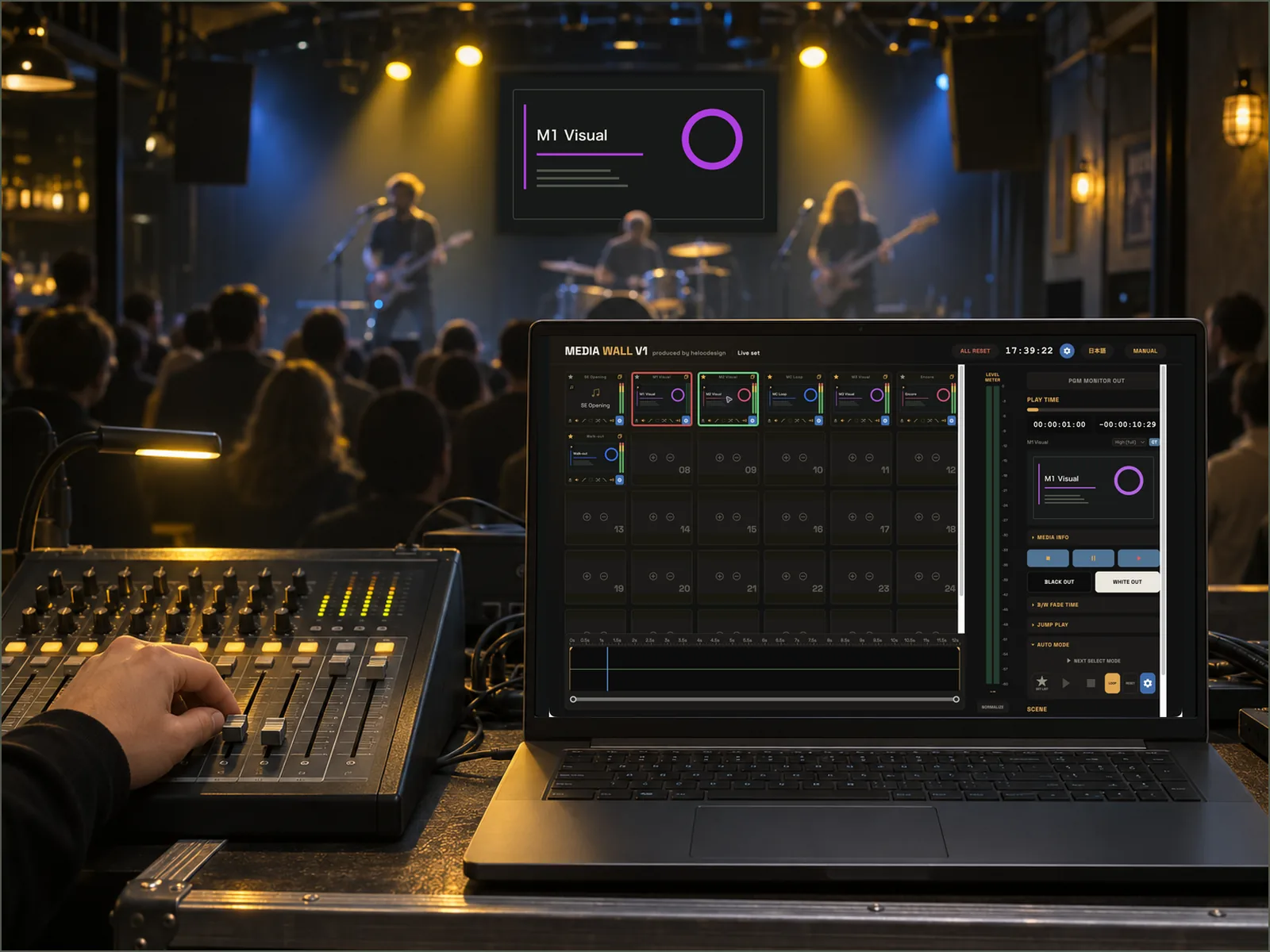
Illustrative scene, not a customer case. The app screen is real.
Video and audio playback for bands and live music, in set order.
MEDIA WALL plays the opening SE, the visuals behind each song, the MC loop and the walk-out music from a grid you arrange per set. A click only selects; nothing hits the screen until you press play.
Mac: Apple Silicon, macOS 13 or later · Windows: Windows 11 x64 (Intel or AMD)
An example set
Your set list, as tiles
SE
Opening
Lights down, you press Space. The intro video and sound start together.
M1
Song 1 visual
Already selected while the intro runs. Play on the drummer’s count.
M2
Song 2 visual
Trimmed on the waveform, so it starts on the first bar, not on black.
MC
Talk loop
A quiet loop under the MC. BLACK OUT clears it when the next song starts.
SET 2
Next scene
Press 2. The second set’s tiles appear without stopping what is playing.
END
Walk-out
Music levelled with NORMALIZE, so it is not suddenly louder than the show.
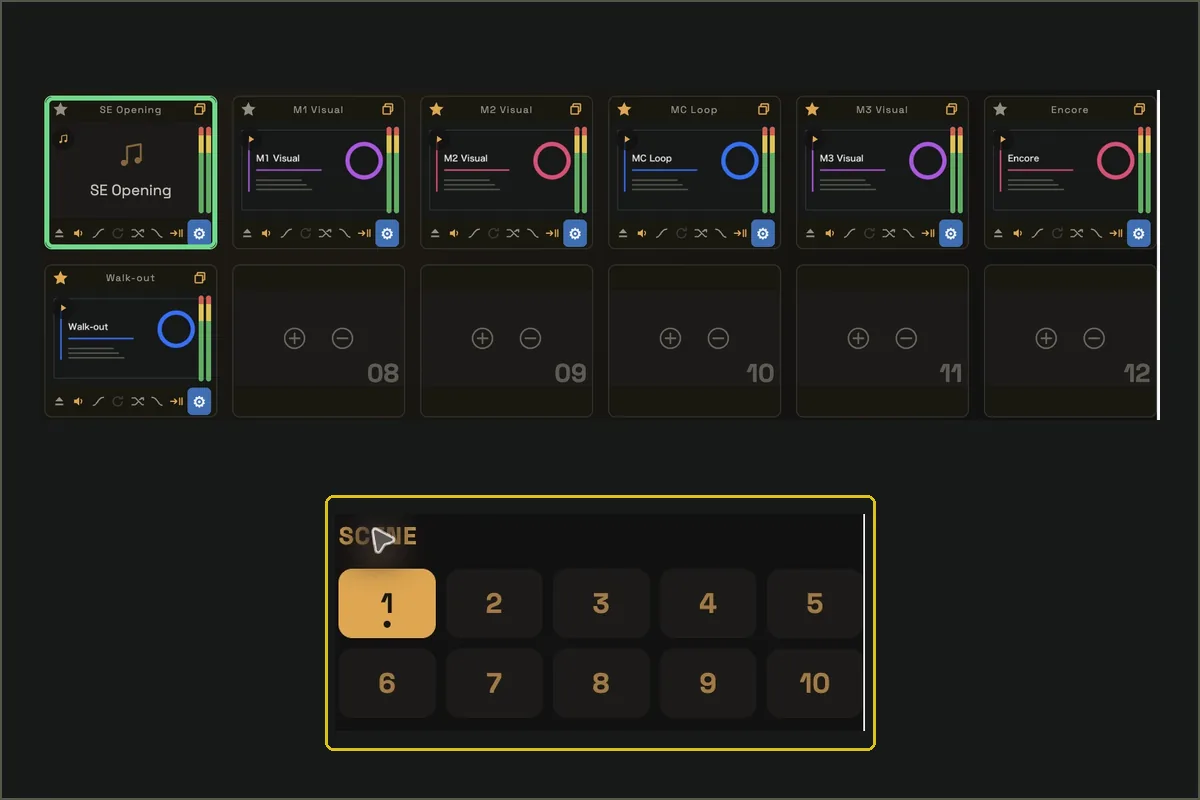
Each scene holds 30 tiles and there are 10 scenes. Number keys 1 to 0 show scenes 1 to 10.
Nothing fires by accident.
A click or the arrow keys only select. Space plays. Pausing with the keyboard is blocked for the first second after playback starts, so a double tap does not stop the clip you just fired.
SE Opening
M1 Visual
MC Loop
M3 Visual
M4 Visual
M5 Visual
Interval
M6 Visual
Encore
Thank you
Walk-out
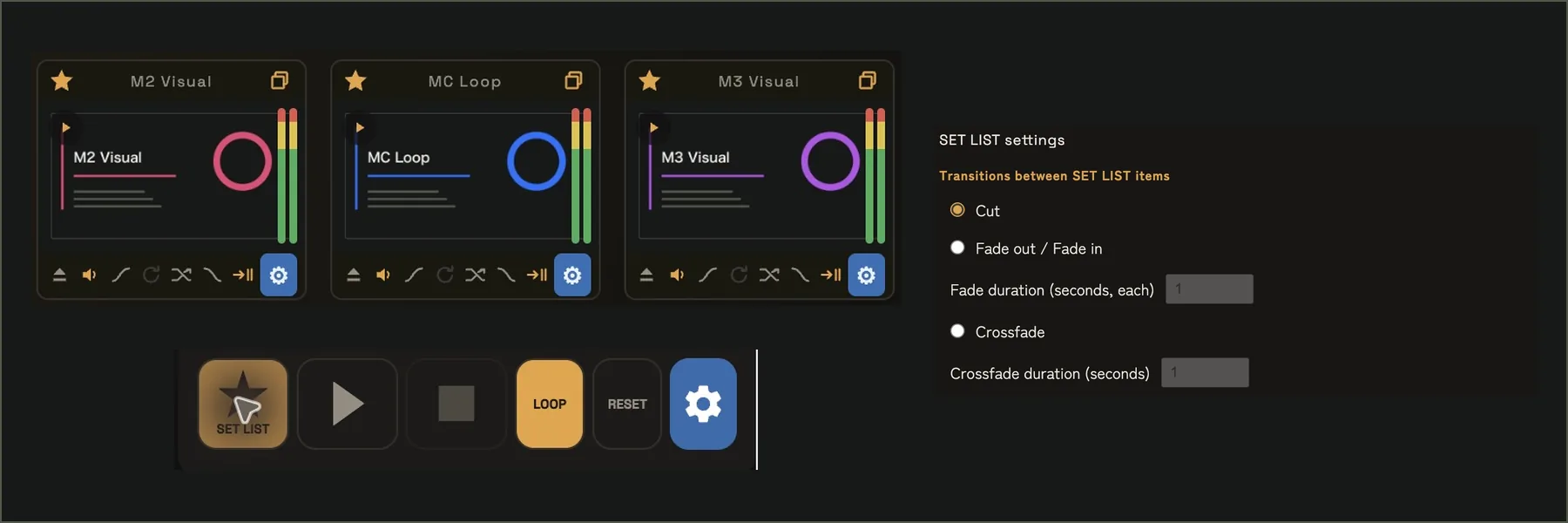
Drawing of the idea, not a screenshot: the red tile is playing, the green one is selected and waiting.
SETLIST
Let the interval run itself
Star the tiles for the pre-show or the interval and SETLIST plays them in tile order, with a cut, a fade or a crossfade from 0.1 to 30 seconds. LOOP repeats the list until you stop it.
ONE DEVICE PER LICENSE
MEDIA WALL licenses for Mac and Windows
Choose a separate license for Mac or Windows. One registered device per license. Updates within v1.x included. Commercial use permitted.
$49
one-time
What it is not
A click-track or stems player. It does not split audio to separate outputs; QLab’s Audio License lists 128 output channels.
Synced to a DAW. There is no timecode or MIDI.
A multi-screen or LED mapping tool. Mitti and QLab’s Video License cover that.
A VJ mixer. It plays clips as they are, without live effects.
Backing video for live music: common questions
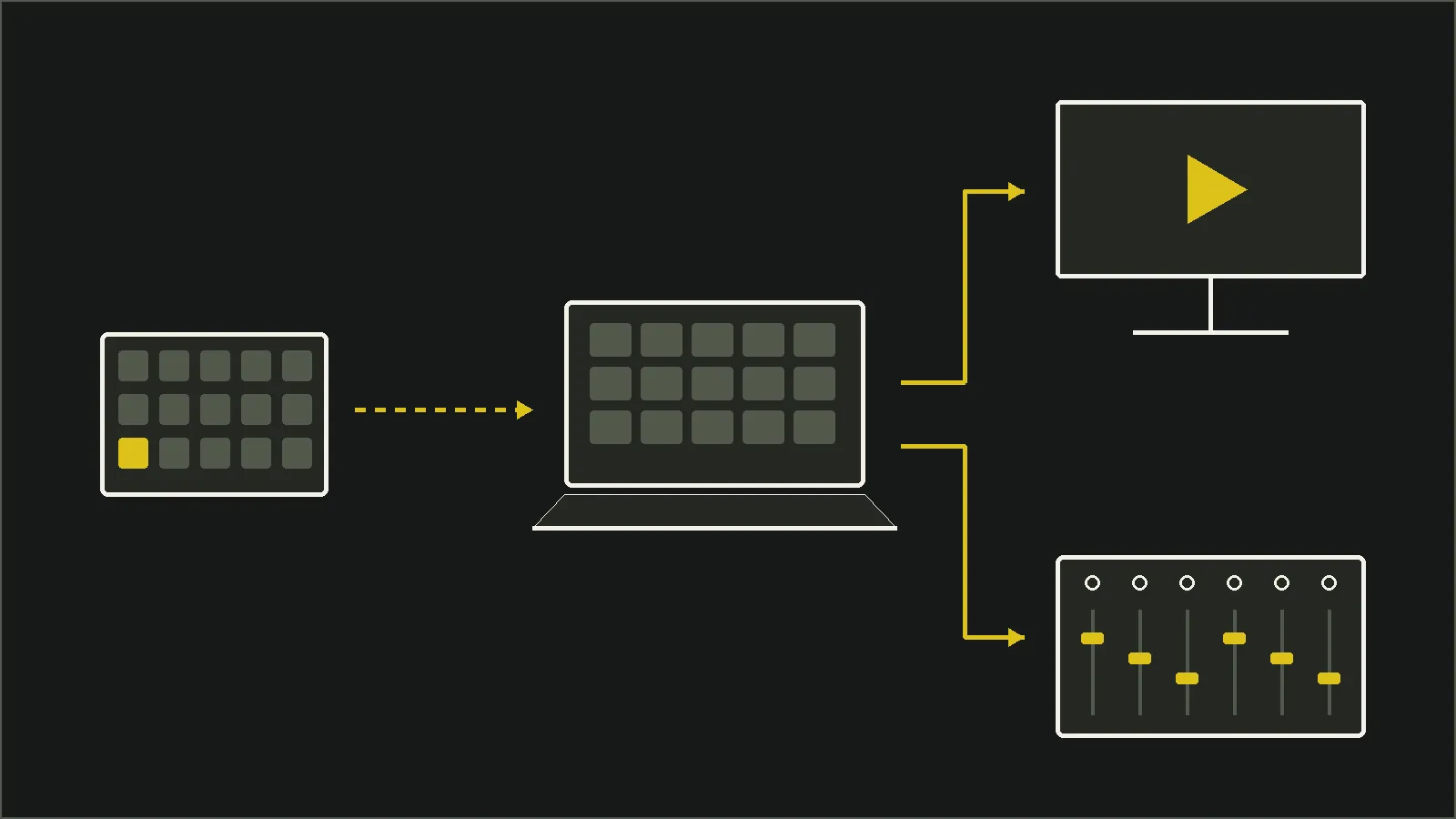
Connect your Mac or Windows PC to the stage screen and the PA mixer. On Mac, you can also use a Stream Deck.
Can I play videos on a screen behind the band?
Yes, on Mac or Windows. Connect the screen or projector as an extended display, then turn on PGM MONITOR OUT. Cue each song’s video from its own tile.
Can I trim a clip without re-exporting it?
Yes. Set the start and end points on the waveform, and give each tile its own volume and fades.
Can I play it from a Stream Deck?
On Mac, the free MEDIA WALL V1 Controller plugin adds play, pause, scenes and black out. See the Stream Deck setup.
Can it send a click track to the drummer?
No. MEDIA WALL does not route audio to separate outputs. Use a DAW or QLab for clicks and stems, and MEDIA WALL for the screen.
Other ways people use MEDIA WALL
Run your set in the demo first.
Download the Mac or Windows edition to try the demo. A license for that edition unlocks the same app. It runs for 30 days from first use, up to 30 minutes per launch, with a watermark on the output and saving turned off.