
MEDIA WALL / COMPARE / QLAB
MEDIA WALL vs QLab 5: a simpler QLab alternative for media playback on Mac
QLab 5 is show control: audio, video and lighting cues in one cue list, with MIDI, OSC and timecode. MEDIA WALL for Mac only plays media, from a grid of tiles you can see at a glance. If your show is mostly “play this clip now”, you may not need the rest.
This is not a ranking. QLab does far more. This page shows where each one fits, using QLab’s official shop and documentation.
Checked on official pages on 13 November 2026. See sources.
SHORT ANSWER
QLab or MEDIA WALL?
Stay with QLab 5 if you…
Run theatre-style cue lists, or cue lighting, MIDI, OSC or timecode from the same file.
Need several screens, NDI, Syphon, edge blending or warping (Video License).
Need many audio outputs: 128 channels with the Audio License.
Use an Intel Mac, or a show this simple already fits QLab’s free version.
Try MEDIA WALL if you…
Want to see every clip as a tile, in show order, without building cues.
Play PDF pages next to video. QLab does not support PDF files; MEDIA WALL turns each page into a tile.
Want a click to select and a separate action to play, plus a free Stream Deck plugin.
Prefer one price: $49 one-time, against $599 to $1,399 for QLab’s paid licenses.
PRICE
MEDIA WALL vs QLab 5 price
US dollars, before tax, from each official shop.
MEDIA WALL for Mac
$49 one-time
Launch price, regular $89. One registered Mac. Free 30-day demo of the same app, up to 30 minutes per launch, with a watermark and no saving.
QLab 5 free version
$0
No time limit. Audio, video and lighting cues, with one single-output video stage, 2 audio output channels and 16 DMX addresses.
QLab 5 paid licenses
$599 / $1,099 / $1,399
One of Audio, Video or Lighting for $599, two for $1,099, all three for $1,399. Bought outright.
QLab 5 rental
$8 / $12 / $15 a day
The same one, two or three licenses rented by the day. QLab lists a rent-to-own option.
FEATURES
Feature by feature
On a phone, swipe the table sideways.
Feature
MEDIA WALL
QLab 5
Video, audio, still images
Yes
Yes (PNG and JPG recommended)
PDF pages as media
Yes, one page per tile
No (per QLab’s documentation)
How cues are laid out
Grid of tiles (10 scenes × 30) or a cue list, switchable
Cue lists
In / out points, waveform
Yes
Yes
Play a list in order
SETLIST, with cut, fade or crossfade
Cue lists
External display output
One display
One stage free; more with Video License
Multi-screen, edge blending, warping
No
Video License
NDI and Syphon
No
Video License
Audio output channels
Not specified
2 free; 128 with Audio License
Lighting (DMX)
No
16 addresses free; unlimited with Lighting License
MIDI, network, timecode cues
No
Any paid license
Stream Deck
Free plugin
Not listed
Mac
Apple Silicon, macOS 13+
Apple Silicon and Intel, macOS 11+
Price
$49 one-time
Free, or $599–$1,399
Interface languages
English, Japanese
Not listed
WHAT IS DIFFERENT
Three things MEDIA WALL does its own way
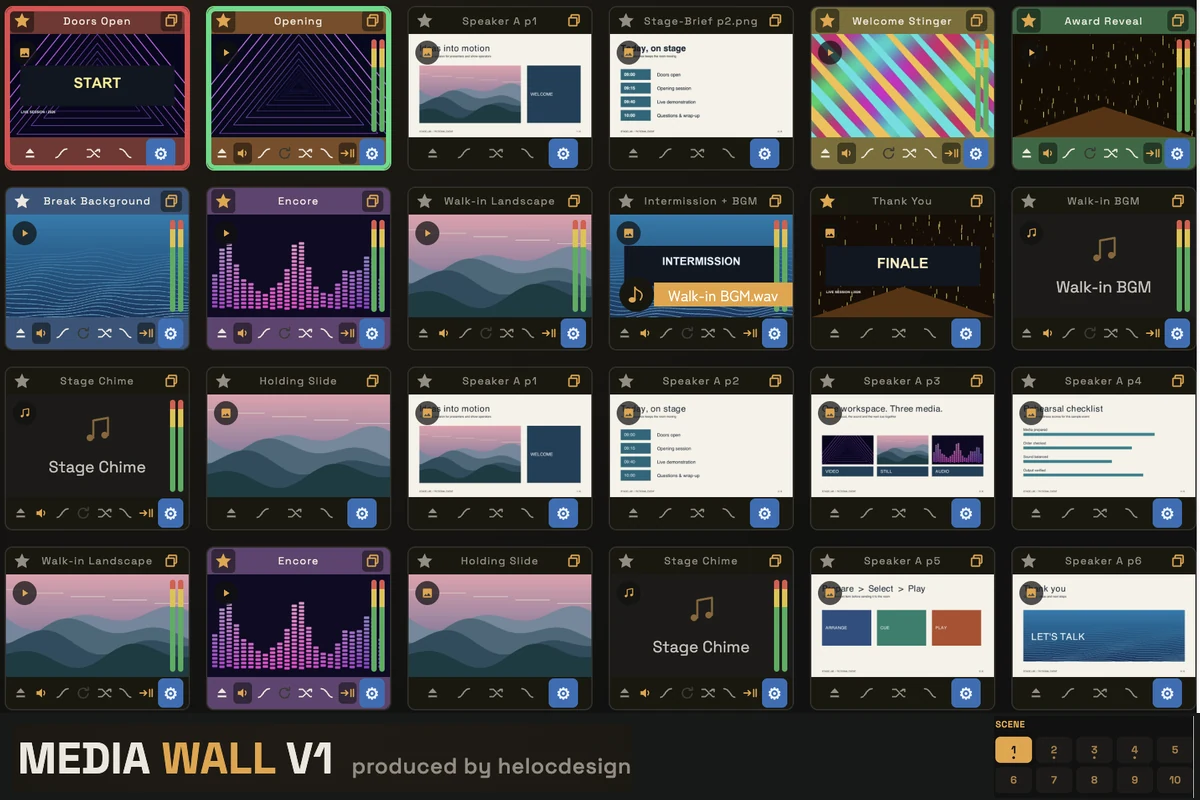
You see the whole show
Every clip is a tile with a thumbnail, laid out in show order across up to 10 scenes. There is no cue list to build first.
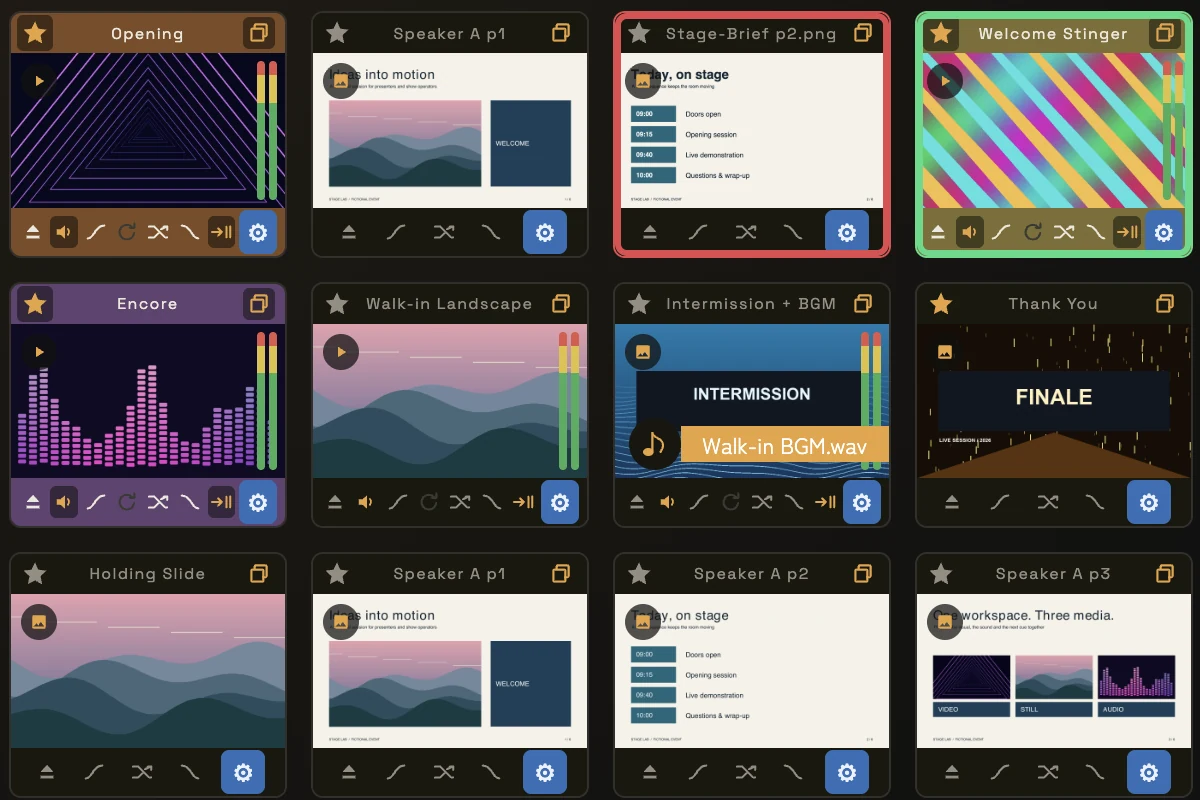
Slides sit next to video
Import a PDF and each page becomes a tile. Export PowerPoint or Keynote to PDF first. A presentation clicker steps through the tiles.
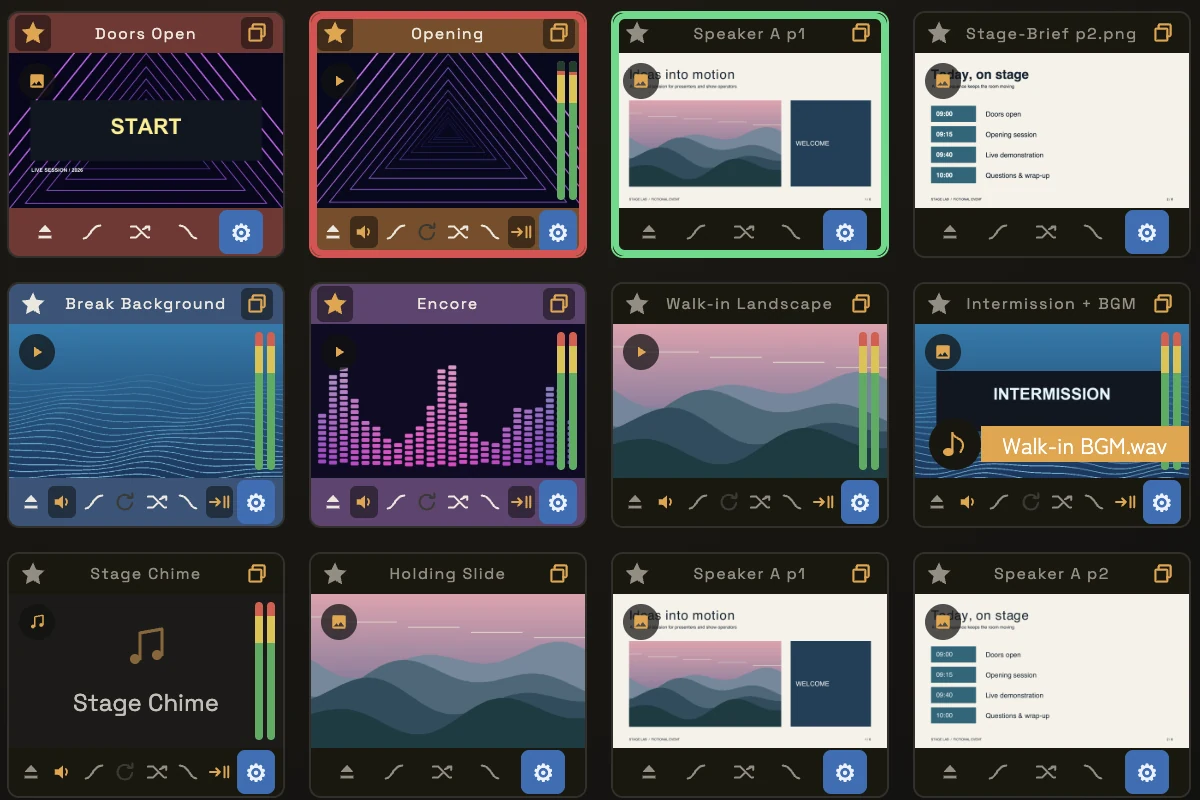
Select, then play
A click only selects. Double-click or Space plays. The selected tile has a green frame and the playing tile a red one, so nothing starts by accident.
QUESTIONS
QLab alternative: common questions
Is MEDIA WALL a free QLab alternative?
No. MEDIA WALL is a paid app with a free 30-day demo. If you need something free, QLab’s own free version may already cover a simple show.
Can MEDIA WALL replace QLab for theatre?
Usually not. Theatre often needs lighting, MIDI or timecode in the same show file, and MEDIA WALL has none of them. It fits shows where you mainly play media on cue.
Can QLab play PDF slides?
QLab’s Video cue documentation says it does not support PSD or PDF files. MEDIA WALL imports a PDF with one page per tile.
Does MEDIA WALL run on an Intel Mac?
MEDIA WALL for Mac requires Apple Silicon and macOS 13 or later. QLab 5 runs on Apple Silicon and Intel Macs. The separate Windows version of MEDIA WALL requires Windows 11 x64.
Which video files does MEDIA WALL play?
ProRes 422 Proxy, LT, 422 and HQ play directly. ProRes 4444 and HAP are not supported. Supported files and how to check yours
Try it next to QLab, with your own files
The free demo is the same Mac app. No account needed. 30 days from first use, up to 30 minutes per launch, with a watermark on the output and saving turned off.
SOURCES
QLab 5 (Figure 53): shop, feature list, system recommendations, Video cues, video output. Checked 13 November 2026.
MEDIA WALL for Mac (helocdesign tools): product page, guide.
helocdesign tools is not affiliated with Figure 53. QLab is a trademark of its owner. Prices change; check the official shop before you buy.