

Download MEDIA WALL for Windows
The signed Windows v1.0.95 release supports Windows 11 x64 on Intel and AMD PCs.
Extract the downloaded ZIP and run the installer inside. If you already own a Windows license, open My Account → Licenses and activate with your Windows key. A Mac key cannot activate the Windows app.
Features
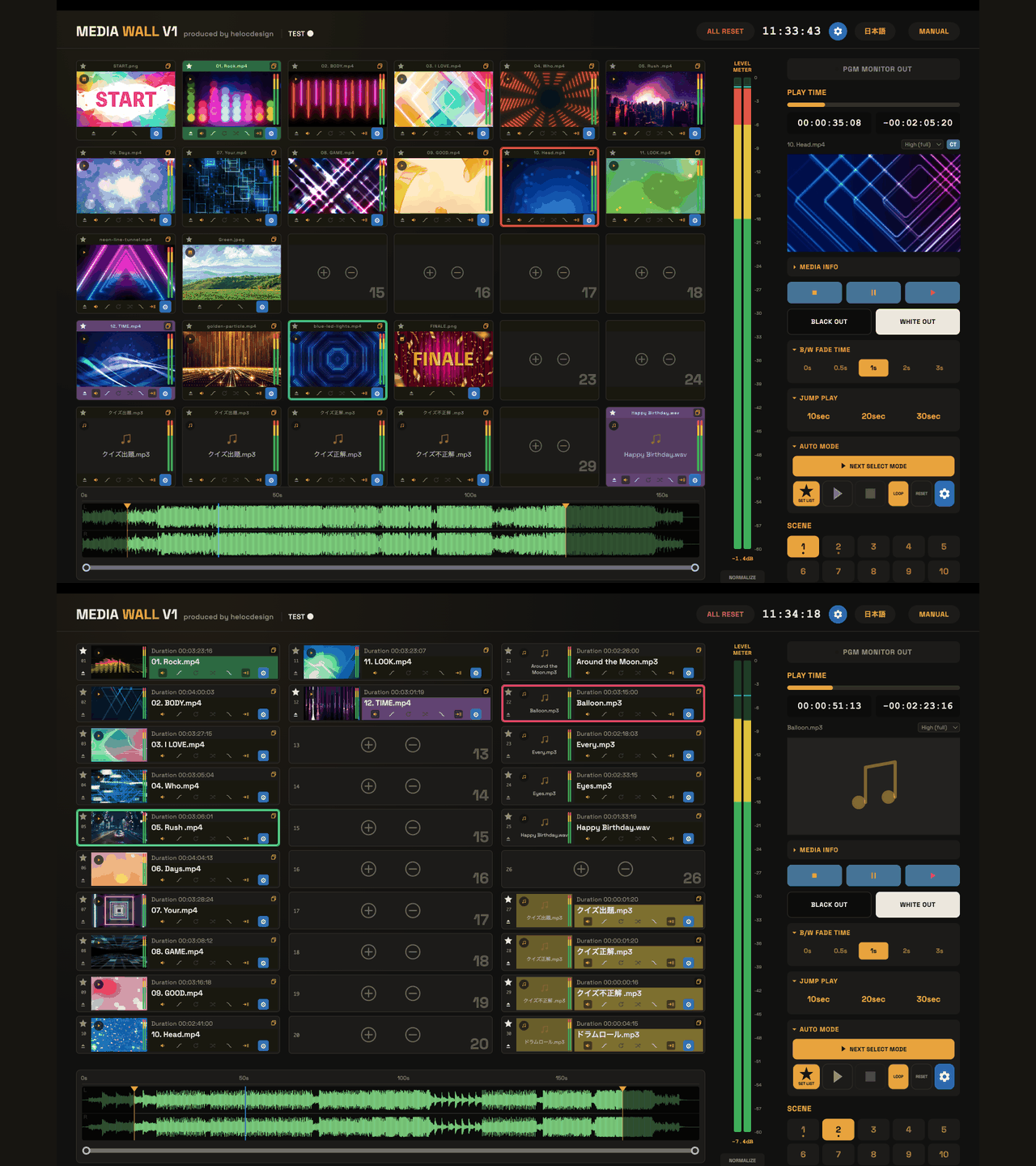
Arrange video, still images, audio and PDFs in 30 tiles per scene across 10 scenes. Use Grid and List views, SETLIST, PREVIEW and external PGM output, fades and crossfades, adjustable BLACK OUT and WHITE OUT fade times, and waveform navigation and seeking.
For Windows 11 x64 on Intel and AMD PCs. The app plays supported ProRes MOV and WMV files directly. The Setup edition includes automatic updates. Windows manuals are available in English and Japanese. Windows 10, ARM, ProRes RAW, DRM-protected WMV, HDR and alpha preservation are outside the supported scope of this release.
Your Windows license
One-time purchase for v1.x on one registered Windows PC. Your Windows key is issued after payment confirmation and is available under My Account → Licenses. Mac and Windows licenses are separate purchases and cannot be used interchangeably.
The launch price is USD 49 and the regular price is USD 89. There is no quantity limit. The end date has yet to be announced, and we will give at least seven days’ notice on this site. Prices are based in USD and include applicable taxes. Sales in Japan include 10% consumption tax. Review the payment currency, tax breakdown and final total at checkout.
Your one-time purchase covers the major version you buy. One license allows use on one registered Windows PC. Updates we provide within v1.x are included. A future v2 is an optional separate purchase, and your existing v1.x license remains valid. Future Windows compatibility and indefinite updates or support are outside the guarantee.
Activation and device transfers
First activation requires an internet connection. Device certificates remain valid for 30 days and renew on online launch at no extra charge. You can use the app offline while the certificate is valid. The certificate period is separate from your purchased entitlement.
To replace your PC, stop using the app on the old PC and release its registration in My Account → Licenses. Activate the new Windows PC online with the same key. Transfer your project files and media separately. Releasing a registration does not take effect immediately on an offline PC. You can find the key again in your purchase account. If your PC fails or you cannot release a registration, contact support with your order number.
Who may use the license
Commercial and commissioned work is permitted. For an individual purchase, the purchaser may use the app. For a company purchase, employees and contractors may use the registered PC under the company’s management and responsibility. Each person using that PC does not need a separate license. An additional PC requires an additional license. Resale, lending and transfer to another person or company are generally prohibited. The original purchaser may move the license to a replacement PC. A Windows license cannot be transferred to the Mac edition.
Purchases, support and refunds
After payment confirmation, you receive the key by email and in My Account → Licenses. The price confirmed at checkout is held for 60 minutes. Viewing the product or adding it to your cart does not hold the price, and reloading does not extend the hold.
We offer support in English and Japanese at support@helocdesign.net. We aim to send an initial reply within three business days, counting from the next business day after receipt. Business days exclude weekends and Japanese public holidays. Resolution times and immediate on-site assistance are outside this commitment.
We offer refunds for duplicate purchases, inability to provide the product, and serious defects that cannot be resolved. Other refund requests are considered individually. We generally ask you to contact us within 14 days of purchase. This guideline does not limit claims about later delivery failures or serious defects, or rights under applicable law or the payment provider’s rules. Once a full refund is confirmed, new activation and certificate renewal stop for the affected license. A partial refund that only adjusts the amount paid leaves the license in effect. If a partial refund cancels a license, the affected license is identified. A request, pending refund or failed refund does not automatically stop access.